

Apple’s AI-powered “Audio Intelligence” expertise for the Apple Watch is now rolling out into beta testing, initially for builders within the iOS 27.3 replace, after first being introduced on the firm’s Surprise and Shine hardware event in September. The expertise features a set of 4 opt-in AI options that permit Apple Watch Sequence 12 wearers to detect essential sounds, establish songs, compensate for conversations, and take notes.
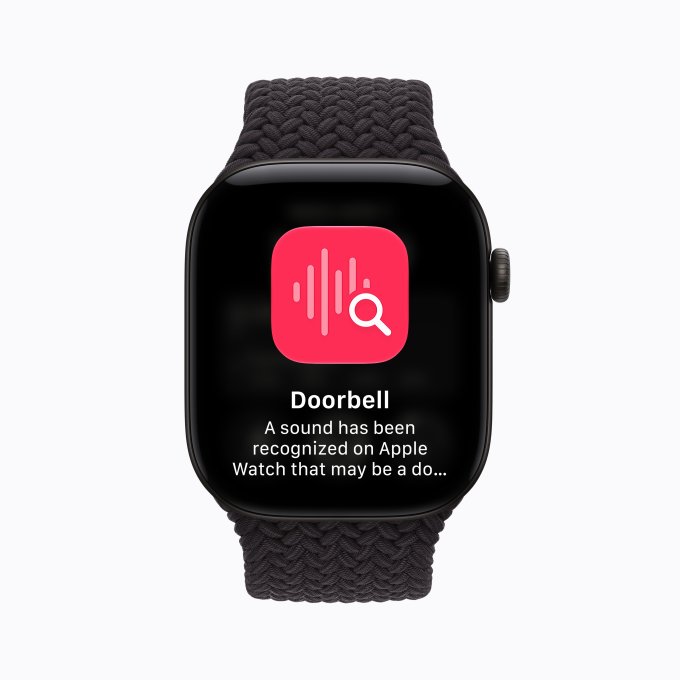
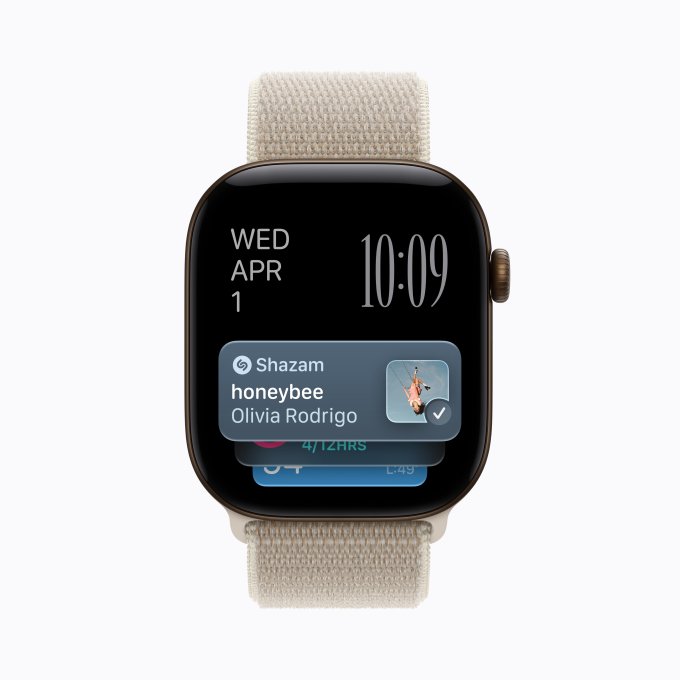
The sound recognition characteristic will assist deaf and hard-of-hearing customers establish essential appears like sirens, alarms, or doorbells from their watch, whereas the music recognition characteristic faucets into Apple’s Shazam app to detect music taking part in within the background and establish the music identify and artist.
Nevertheless, the extra probably controversial options are people who hearken to human conversations: Reside Rewind and Siri Recaps.
Given the backlash to AI recording units, like Meta’s AI glasses and different AI wearables, Apple has tried to carve out an area the place the options might be helpful to Apple Watch homeowners, whereas nonetheless respecting the privateness of these round them.
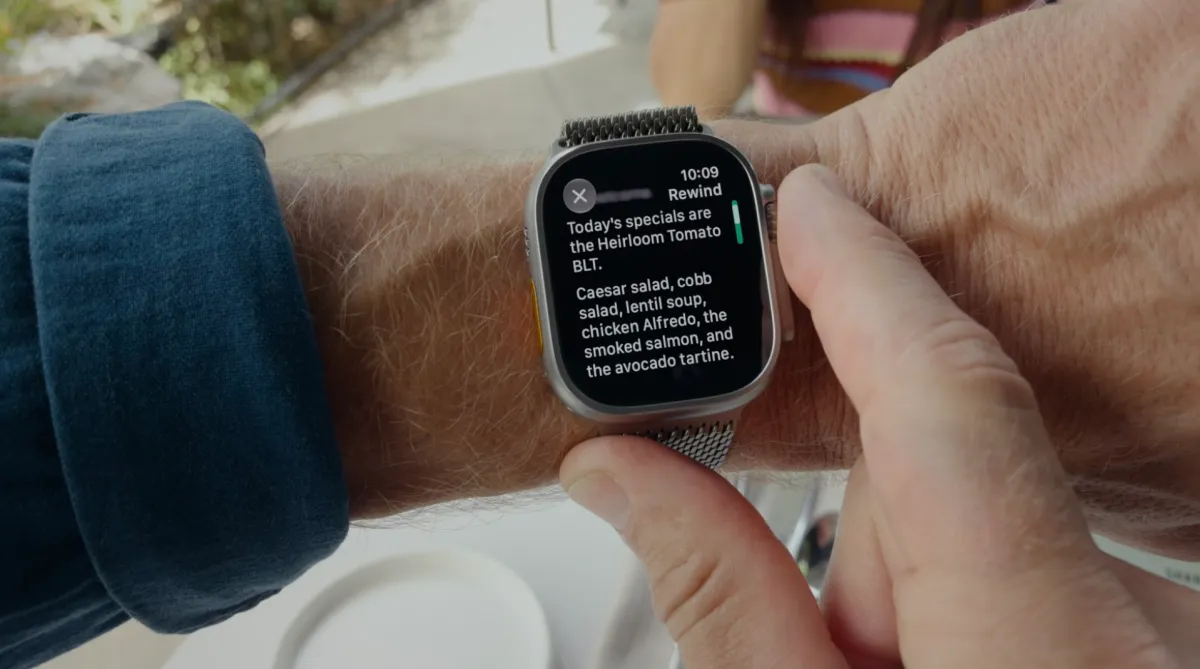
With Reside Rewind, the thought is to allow you to return in time to see what somebody simply mentioned, in case you missed it. As an illustration, if somebody was supplying you with verbal instructions or studying an extended record of specials at a restaurant, you might double-press on the Watch’s digital crown to see what was mentioned within the final 15 seconds as a textual content snippet displayed on the watch face. You possibly can both view this snippet after which do nothing, and it’ll disappear completely. Or it can save you it to the standalone Siri app that shipped with iOS 27 for later entry, which may be useful should you’re making an attempt to recollect somebody’s identify or take a fast be aware from a fast-paced presentation.
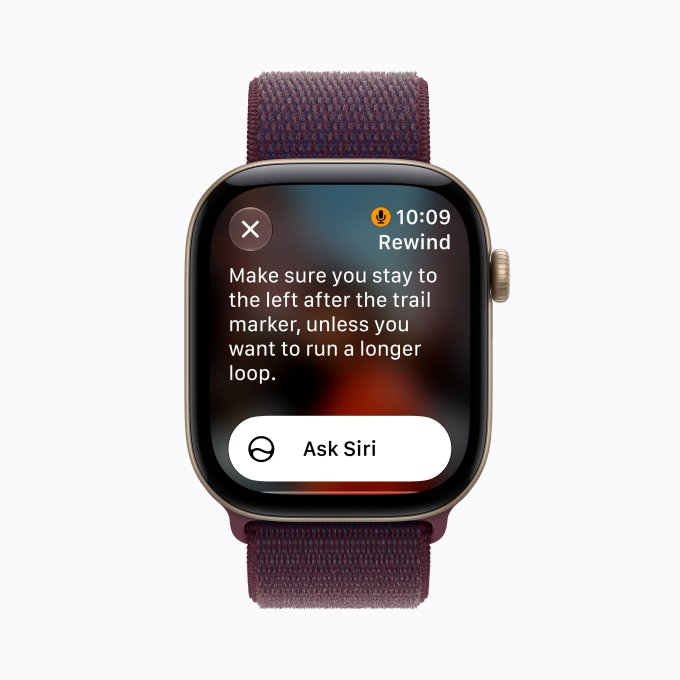
Apple says that customers can even be capable of faucet an “Ask Siri” possibility that seems under the textual content snippet if they’ve questions on one thing that was mentioned — like a technical time period they don’t perceive, or maybe some sauce possibility the waiter talked about that they’re unfamiliar with, amongst different issues.
Once you double-press the digital crown, an audible chime seems and an animation shows on the watch. That is meant to sign to individuals by way of the mix of the gesture, sound, and the visible show that you simply’ve recorded one thing that was mentioned.
These snippets might be deleted routinely after 30 seconds should you don’t save them.
The opposite possibility, Siri Recaps, takes this ambient listening expertise even additional by permitting Apple Watch homeowners to take high-level notes of their conversations.
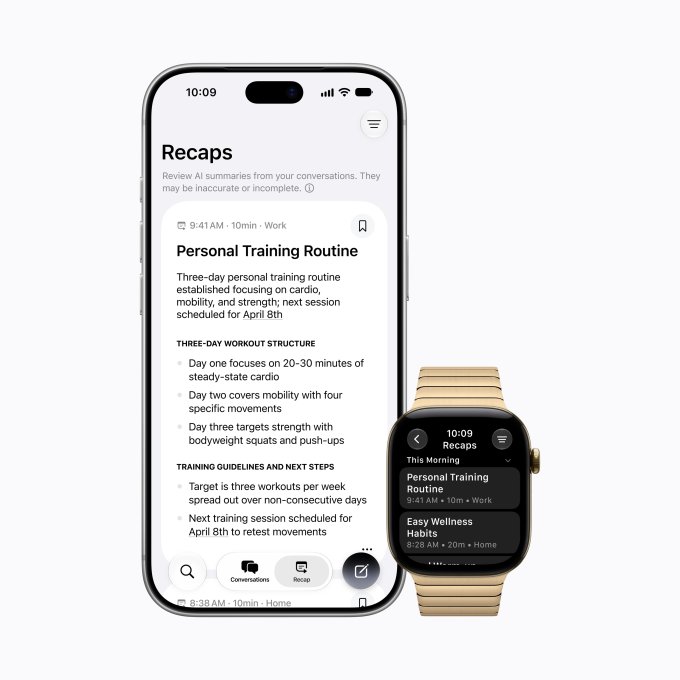
Importantly, Apple says it’s not figuring out audio system, saving the uncooked audio, or offering word-for-word transcriptions. As an alternative, the characteristic summarizes a dialog with a brief sentence and a few bullet factors that establish key factors. As an illustration, relying on the subject, the bullet factors would possibly embrace issues like essential dates or deadlines, pricing or cost plan info, and different factual info.
Apple advised the characteristic could possibly be utilized in eventualities like work conferences, parent-teacher conferences, private coaching classes, or different locations the place you might want to recollect what duties it’s important to full or issues that had been mentioned. Primarily, it’s presupposed to mimic a consumer’s skill to jot down their very own notes — with out including emotion or tone.
This could possibly be useful notably at instances if you aren’t in a position to write up your personal notes, both as a result of your arms are full otherwise you’re making an attempt to focus on no matter’s being mentioned on the time. The recaps gained’t document conversations if you’re listening to music along with your headphones or utilizing their noise cancellation options.
On the finish of the day, you’re prompted to overview your saved Siri Recaps when the characteristic is enabled, after which select which, if any, you need to save. These notes might be saved to your Notes app and even exported to your Journal app, in the event that they’re extra private in nature. For those who do nothing, the recaps will delete themselves inside seven days.
This reminder to overview the Siri Recaps you’ve recorded additionally seems if you first unlock your Apple Watch within the morning, too.
Customers can choose to allow the Siri Recaps manually, or they will configure a schedule, reminiscent of solely having the recapping happen whereas at work, or ensuring that they by no means run at night time. Even when they’re operating on a schedule, you may nonetheless flip off the recapping characteristic at any time from the Management Heart.
Apple notes that Siri Recaps has been designed to omit delicate info like government-assigned identifiers, monetary and authentication information, sure private identifiers, and any language that will promote self-harm.
The Audio Intelligence options for the Apple Watch Sequence 12 and Apple Watch Extremely 4 depend on a mix of Apple’s {hardware}, software program, and companies. This contains the S11 chip, built-in microphone, and the Apple Intelligence fashions that run on the iPhone, in addition to Apple’s Non-public Cloud Compute.
The always-on processor features a safe enclave — a hardware-protected reminiscence area that may’t be accessed by the remainder of the working system — the place a devoted audio buffer processes the uncooked audio. This permits the audio to be processed with out it really being accessible to anybody, together with Apple. The audio is barely accessible to the paired iPhone by way of a safe pairing mechanism between it and the watch.
To work, light-weight AI fashions on the S11 chip on the Apple Watch detect if there’s a dialog occurring that the wearer is part of, which is then transferred to the safe enclave on the iPhone. On-device processing on the iPhone turns the audio into condensed textual content, which means the textual content of the dialog with the filler phrases eliminated. This condensed textual content is then encrypted and despatched to Apple’s Non-public Cloud Compute (PCC) to create the recap of the dialog that’s despatched again to the telephone. (The recap and any summarizations used to create it are deleted from PCC instantly afterwards).
The recaps you may then entry in your iPhone are solely accessible to you, to not Apple. And so they’re encrypted after they’re synced between your a number of Apple units.
Equally, Apple Watch transfers audio to the iPhone for processing to create the 15-second snippets for Reside Rewind.
Apple says none of those options ought to impression the battery lifetime of your watch or telephone. The options will later roll out to the general public beta for broader testing earlier than changing into publicly obtainable to all.
Once you buy by way of hyperlinks in our articles, we may earn a small commission. This doesn’t have an effect on our editorial independence.